Coaching Template Ideas: Your Step-by-Step Design Guide
Discover the best coaching template ideas with this step-by-step design guide. Learn how to build a professional template library that elevates your coaching brand, saves time, and attracts better clients.
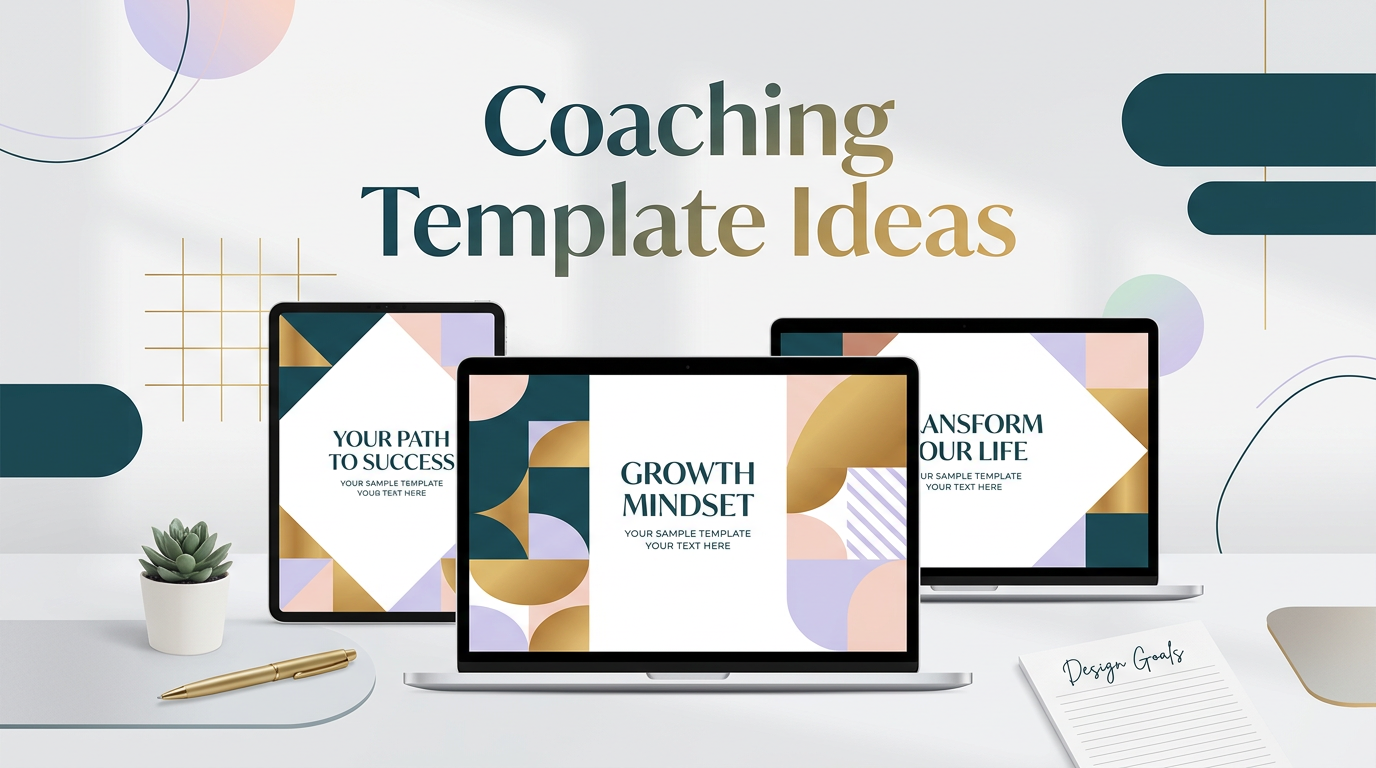
# Coaching Template Ideas: Your Step-by-Step Design Guide
If you're a coach looking to level up your brand, having polished, professional templates is no longer optional — it's essential. The right **coaching template ideas** can transform how clients perceive your business, streamline your workflow, and help you show up consistently across every platform. In this step-by-step tutorial, we'll walk you through exactly how to design, customize, and deploy templates that make your coaching brand unforgettable.
---
Why Coaching Templates Matter
Before diving into the how-to, let's talk about why templates are a game-changer for coaches:
Whether you're a life coach, business coach, health coach, or executive coach, the right **coaching template ideas** will help you communicate your value clearly and confidently.
---
Step 1: Define Your Brand Identity
Every great template starts with a clear brand identity. Before you open any design tool, answer these questions:
1. **What are your brand colors?** Choose 2–3 primary colors and 1–2 accent colors. Use a tool like Coolors.co to build a cohesive palette.
2. **What fonts represent your brand?** Pick one heading font (bold, distinctive) and one body font (clean, readable). Google Fonts offers hundreds of free options.
3. **What is your brand voice?** Are you warm and nurturing, bold and motivational, or calm and professional? Your visual style should match your tone.
4. **What imagery resonates with your audience?** Think about the photos, icons, and illustrations that speak to your ideal client.
Document these choices in a simple brand guide — even a one-page PDF works. This becomes the foundation for every **coaching template idea** you create.
---
Step 2: Identify the Templates You Need
Not all templates are created equal. Here are the most impactful template categories for coaches:
Social Media Templates
Client-Facing Materials
Marketing & Sales Assets
Content & Education
Start with the templates you use most frequently. For most coaches, that means social media graphics and client worksheets first.
---
Step 3: Choose Your Design Tool
For most coaches, **Canva** is the go-to platform — and for good reason. It's beginner-friendly, offers thousands of starting templates, and makes it easy to save your brand kit for instant access. Here's how to get started:
1. **Create a free or Pro Canva account** at canva.com.
2. **Set up your Brand Kit** (Pro feature): Upload your logo, set your brand colors, and add your fonts. This lets you apply your brand to any template in one click.
3. **Browse the template library**: Search for "coaching," "business," or specific formats like "Instagram post" or "worksheet."
4. **Duplicate and customize**: Never start from scratch. Find a template that's close to what you need, duplicate it, and make it yours.
If you want to skip the design work entirely, check out the ready-made coaching templates at [DesignVault](https://designvault.abacusai.app/products) — professionally designed and fully customizable in Canva.
---
Step 4: Design Your First Template Set
Let's walk through creating a simple social media template set — one of the most popular **coaching template ideas** for building brand visibility.
4a. Start with a Quote Template
1. Open Canva and select "Instagram Post (1080 × 1080 px)."
2. Choose a clean background — solid color, subtle gradient, or a branded photo with overlay.
3. Add a text box for the quote. Use your heading font, sized 28–36pt.
4. Add a smaller text box for attribution (your name or brand).
5. Include your logo in a corner for brand recognition.
6. Save as a template by clicking "Share > Template."
4b. Create a Tips Carousel Template
1. Duplicate your quote template.
2. Adjust the layout to include a numbered header (e.g., "Tip #1") and a body text area.
3. Create 5–7 slides following the same layout — this becomes your carousel framework.
4. Add a final "Call to Action" slide directing followers to your website or freebie.
4c. Design a Client Worksheet
1. In Canva, select "A4 Document."
2. Add your logo and brand colors to the header.
3. Create sections with clear headings, lined areas for writing, and your brand footer.
4. Export as PDF for easy sharing with clients.
---
Step 5: Build a Template Library
Once you've created your first few templates, organize them into a library so you (and your team) can access them quickly:
A well-organized template library is one of the most underrated **coaching template ideas** — it saves hours every month and makes delegation effortless.
---
Step 6: Repurpose and Refresh
Templates aren't set-and-forget. Plan to refresh your template library every 6–12 months to keep your brand feeling current. Here's how:
The best coaches treat their template library as a living asset — one that grows and evolves alongside their business.
---
Ready-Made Coaching Templates to Get You Started
If you'd rather skip the design process and start with professionally crafted assets, explore the full collection at [DesignVault](https://designvault.abacusai.app/products). Every template is built with coaches in mind — fully editable in Canva, instantly downloadable, and designed to make your brand look like you hired a professional designer.
From social media kits to client workbooks, you'll find everything you need to implement these **coaching template ideas** without spending hours in front of a screen.
---
Final Thoughts
Building a template library is one of the highest-leverage investments you can make in your coaching business. It saves time, elevates your brand, and creates a consistent client experience that builds trust. Follow the steps in this guide, start with the templates you need most, and remember: you don't have to design everything from scratch.
The right **coaching template ideas** — whether you build them yourself or grab them from a trusted source — will help you show up professionally, attract better clients, and grow your business with confidence.
Tools to Put This Into Practice
Skip the DIY — these templates are built for exactly what you just read about.