n8n Workflow Templates for Small Business: The 2026 Automation Playbook to Reclaim 30 Hours Per Month
Stop drowning in repetitive tasks. These n8n workflow templates for small business owners automate your most time-consuming processes—from lead capture to client follow-up—so you can focus on growth.
<h1>n8n Workflow Templates for Small Business: The 2026 Automation Playbook to Reclaim 30 Hours Per Month</h1>
<p>You started your business to do work you love—not to spend half your week copying data between apps, sending follow-up emails, and manually updating spreadsheets. Yet here you are, watching hours evaporate into tasks that a well-built automation could handle in seconds.</p>
<p>n8n has emerged as the go-to automation platform for small business owners who want the power of enterprise-grade workflows without the enterprise price tag. In this guide, you'll discover the exact workflow templates that are saving small business owners 30+ hours every month in 2026—and how to deploy them without writing a single line of code.</p>
<h2>Why n8n Is the Small Business Automation Tool of 2026</h2>
<p>Unlike Zapier or Make (formerly Integromat), n8n is open-source and can be self-hosted—meaning you own your data and pay a fraction of the cost as your automation volume scales. For small businesses running dozens of workflows, this translates to hundreds of dollars saved every month.</p>
<p>But the real advantage isn't the price—it's the <strong>flexibility</strong>. n8n connects to over 400 apps and services, supports complex conditional logic, and lets you build multi-step workflows that would require expensive custom development on other platforms.</p>
<blockquote><p>"n8n gave us the ability to automate processes we thought required a full-time operations hire. We saved $4,200/month in labor costs within 90 days of deploying our first workflows."</p></blockquote>
<h2>The 6 n8n Workflow Templates Every Small Business Needs</h2>
<h3>1. Lead Capture and CRM Entry Automation</h3>
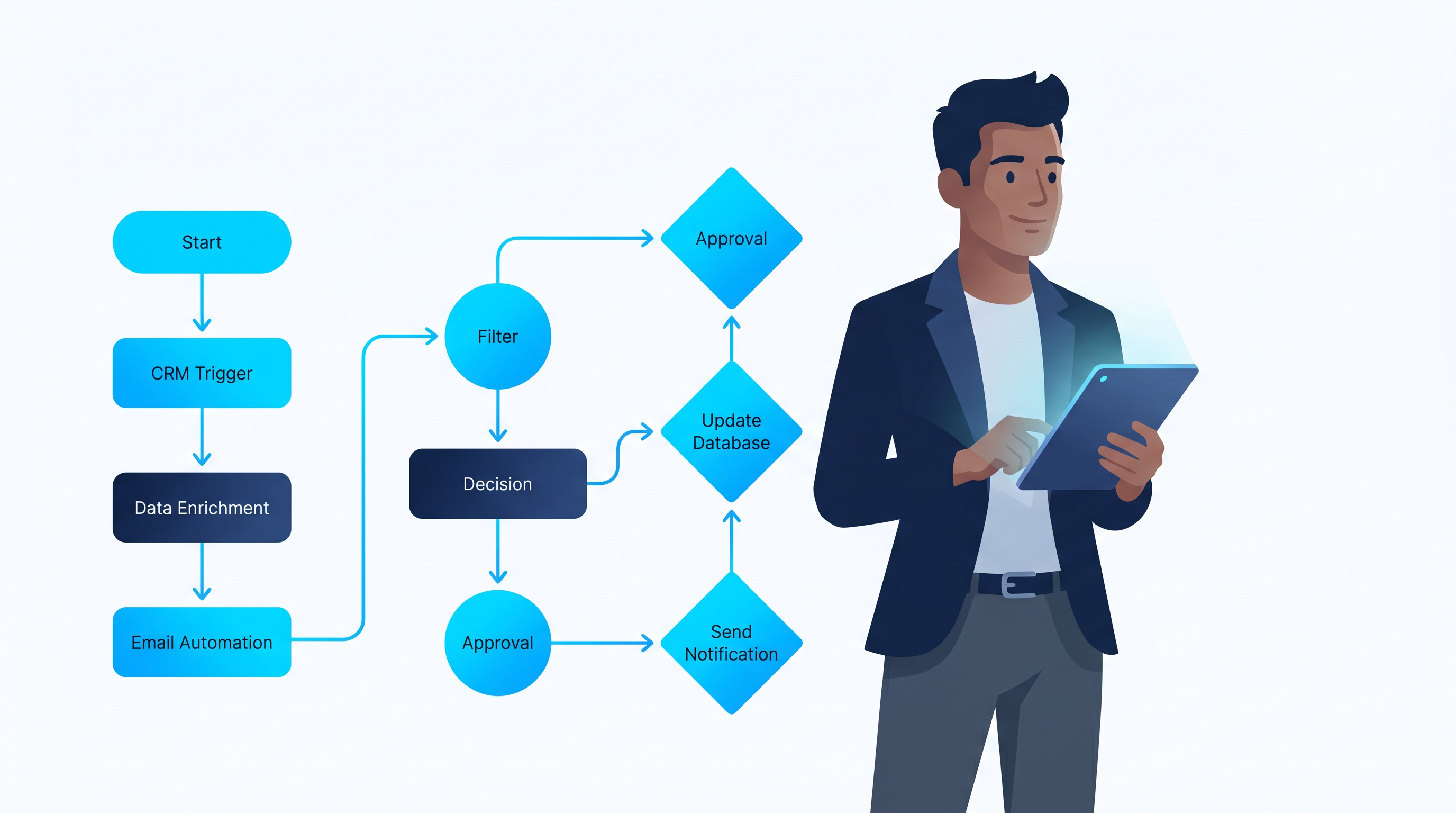
<p>Every time a potential client fills out a form on your website, the same manual process begins: copy their details into your CRM, send a welcome email, add them to your email list, notify your sales team. This workflow automates all of it.</p>
<p><strong>What it does:</strong></p>
<ul>
<li>Triggers when a new form submission arrives (Typeform, Gravity Forms, or any webhook)</li>
<li>Creates a new contact in your CRM (HubSpot, Pipedrive, or Airtable)</li>
<li>Sends a personalized welcome email via your email provider</li>
<li>Adds the contact to the appropriate email list segment</li>
<li>Posts a Slack notification to your sales channel</li>
</ul>
<p>Time saved: 8–12 minutes per lead. For a business generating 50 leads per month, that's over 8 hours reclaimed.</p>
<h3>2. Client Onboarding Automation</h3>
<p>Onboarding a new client involves a predictable sequence of tasks: send the contract, collect payment details, schedule the kickoff call, share access to project tools, send the welcome packet. With n8n, this entire sequence runs automatically the moment a deal is marked as won.</p>
<p><strong>Workflow trigger:</strong> Deal status changes to "Won" in your CRM</p>
<p><strong>Automated actions:</strong></p>
<ul>
<li>Generate and send contract via DocuSign or PandaDoc</li>
<li>Create a new project in your project management tool</li>
<li>Send onboarding questionnaire link</li>
<li>Schedule kickoff call via Calendly</li>
<li>Deliver welcome packet and resource links</li>
</ul>
<p>The <a href="https://designvault.abacusai.app/products/n8n-client-crm-automation">Client CRM Automation System</a> includes pre-built n8n workflows for the complete client lifecycle—from first contact to project completion—so you can deploy a professional onboarding experience in hours, not weeks.</p>
<h3>3. Social Media Content Scheduling</h3>
<p>Consistent social media presence is non-negotiable for small business growth in 2026—but manually posting across LinkedIn, Instagram, Twitter/X, and Facebook is a full-time job. This workflow pulls content from a Google Sheet or Airtable content calendar and automatically publishes posts on schedule.</p>
<p><strong>How it works:</strong></p>
<ol>
<li>You add content to your content calendar spreadsheet</li>
<li>n8n checks the calendar on a schedule (hourly or daily)</li>
<li>When a post's scheduled time arrives, n8n publishes it to all connected platforms</li>
<li>After publishing, the row is marked as "Posted" and archived</li>
</ol>
<p>Use code <strong>AUTOMATE20</strong> for 20% off the <a href="https://designvault.abacusai.app/products/n8n-social-media-autoposter">Social Media Auto-Poster</a>—a complete n8n workflow template that connects your content calendar to every major social platform and handles scheduling, posting, and reporting automatically.</p>
<h3>4. Invoice and Payment Follow-Up Automation</h3>
<p>Late payments are the silent killer of small business cash flow. This workflow monitors your invoicing system and automatically sends follow-up reminders at strategic intervals—without you having to track down clients manually.</p>
<p><strong>Automation sequence:</strong></p>
<ul>
<li><strong>Day 0:</strong> Invoice sent, confirmation email delivered to client</li>
<li><strong>Day 3 before due:</strong> Friendly reminder with invoice link</li>
<li><strong>Day 1 after due:</strong> Polite overdue notice</li>
<li><strong>Day 7 after due:</strong> Firm follow-up with late fee notice</li>
<li><strong>Day 14 after due:</strong> Escalation notification to your team</li>
</ul>
<p>Small businesses using automated payment follow-up report a 40% reduction in average days-to-payment—a significant cash flow improvement that compounds over time.</p>
<h3>5. Email Marketing Automation for Lead Nurturing</h3>
<p>Most small businesses collect email subscribers and then do nothing with them. This workflow builds an automated nurture sequence that delivers value over time and converts cold subscribers into warm buyers—without any manual effort after the initial setup.</p>
<p><strong>Nurture sequence structure:</strong></p>
<ul>
<li><strong>Email 1 (Day 0):</strong> Welcome + deliver lead magnet</li>
<li><strong>Email 2 (Day 2):</strong> Your story and why you do what you do</li>
<li><strong>Email 3 (Day 4):</strong> Your best free resource or case study</li>
<li><strong>Email 4 (Day 7):</strong> Address the #1 objection your audience has</li>
<li><strong>Email 5 (Day 10):</strong> Soft pitch for your entry-level offer</li>
<li><strong>Email 6 (Day 14):</strong> Social proof and testimonials</li>
<li><strong>Email 7 (Day 17):</strong> Direct offer with urgency</li>
</ul>
<p>The <a href="https://designvault.abacusai.app/products/n8n-email-marketing-automation">Email Marketing Automation Pack</a> includes this complete nurture sequence as a ready-to-deploy n8n workflow, pre-connected to the most popular email platforms.</p>
<h3>6. Reporting and Analytics Dashboard Updates</h3>
<p>Knowing your numbers is essential for making smart business decisions—but manually pulling data from five different platforms into a weekly report is tedious and error-prone. This workflow automatically aggregates your key metrics and updates a central dashboard every morning.</p>
<p><strong>Data sources it connects:</strong></p>
<ul>
<li>Website analytics (Google Analytics or Plausible)</li>
<li>Revenue data (Stripe, PayPal, or your payment processor)</li>
<li>Email metrics (open rates, click rates, subscriber growth)</li>
<li>Social media engagement (followers, reach, engagement rate)</li>
<li>CRM pipeline (leads, deals, conversion rates)</li>
</ul>
<h2>How to Deploy Your First n8n Workflow in Under an Hour</h2>
<p>The biggest barrier to automation isn't technical complexity—it's getting started. Here's a simple framework for deploying your first workflow:</p>
<ol>
<li><strong>Identify your most repetitive task:</strong> What do you do manually more than 3 times per week?</li>
<li><strong>Map the steps:</strong> Write out every action involved, from trigger to completion</li>
<li><strong>Choose a template:</strong> Start with a pre-built workflow rather than building from scratch</li>
<li><strong>Connect your apps:</strong> Add your API credentials for each connected service</li>
<li><strong>Test with real data:</strong> Run the workflow manually before activating it</li>
<li><strong>Activate and monitor:</strong> Turn it on and check the execution logs for the first week</li>
</ol>
<h2>The ROI of Small Business Automation</h2>
<p>Let's put some numbers to this. If you're currently spending 30 hours per month on tasks that could be automated, and your effective hourly rate is $100, that's $3,000 in lost productivity every month. A complete automation setup—including templates, setup time, and n8n hosting—typically costs less than $500 total.</p>
<p>That's a 6x return in the first month alone, with compounding benefits as your business grows.</p>
<h2>Start Automating Your Business Today</h2>
<p>The small businesses that thrive in 2026 aren't the ones with the biggest teams—they're the ones with the smartest systems. n8n workflow templates give you the leverage to operate like a much larger company without the overhead.</p>
<p>The <a href="https://designvault.abacusai.app/products/n8n-complete-business-automation-kit">Complete n8n Business Automation Kit</a> includes all six workflow templates covered in this guide, plus 6 additional automations for advanced use cases—everything you need to build a fully automated small business operation.</p>
<p>Use code <strong>AUTOMATE20</strong> for 20% off and start reclaiming your 30 hours this month.</p>
Tools to Put This Into Practice
Skip the DIY — these templates are built for exactly what you just read about.