n8n Workflow Templates for Small Business: 12 Ready-to-Deploy Automations That Save 25+ Hours Per Week
Copy and deploy these 12 battle-tested n8n workflow templates that automate repetitive business tasks, from lead capture to client follow-ups, saving you 25+ hours every week.

<h1>n8n Workflow Templates for Small Business: 12 Ready-to-Deploy Automations That Save 25+ Hours Per Week</h1>
<p>Let me guess: you're spending hours every week on tasks that feel important but don't actually grow your business. Copying data between tools. Sending follow-up emails. Updating spreadsheets. Posting to social media.</p>
<p>What if I told you that you could automate 80% of these tasks in a single afternoon?</p>
<p>That's the power of n8n workflow automation. Unlike expensive enterprise tools like Zapier or Make.com, n8n is open-source, infinitely customizable, and can be self-hosted for free. But the real magic isn't the tool—it's having the right <strong>workflow templates</strong> to deploy immediately.</p>
<p>In this guide, I'm sharing 12 battle-tested n8n workflow templates that small businesses use to reclaim 25+ hours per week. These aren't theoretical examples—they're real automations that are running in production right now.</p>
<h2>Why n8n Workflow Templates Are a Game-Changer for Small Business</h2>
<p>Here's the problem with most automation advice: it assumes you have time to learn complex tools and build workflows from scratch. But as a small business owner, you don't have that luxury.</p>
<p>That's where templates come in. A good n8n workflow template gives you:</p>
<ul>
<li><strong>Instant deployment:</strong> Import and configure in minutes, not hours</li>
<li><strong>Best practices baked in:</strong> Error handling, logging, and optimization already done</li>
<li><strong>Customization flexibility:</strong> Adapt to your specific tools and processes</li>
<li><strong>Proven results:</strong> Templates that have been tested in real businesses</li>
</ul>
<h2>Template #1: Lead Capture to CRM Automation</h2>
<p><strong>What it does:</strong> Automatically captures leads from your website forms, landing pages, or social media ads and adds them to your CRM with proper tagging and segmentation.</p>
<p><strong>Tools connected:</strong> Typeform/Google Forms → n8n → HubSpot/Airtable/Google Sheets</p>
<p><strong>Time saved:</strong> 3-5 hours per week</p>
<p><strong>Key features:</strong></p>
<ul>
<li>Automatic lead scoring based on form responses</li>
<li>Duplicate detection and merging</li>
<li>Instant Slack notification for high-value leads</li>
<li>Automatic assignment to sales team members</li>
</ul>
<h2>Template #2: Email Follow-Up Sequence Automation</h2>
<p><strong>What it does:</strong> Triggers personalized email sequences based on user actions, ensuring no lead falls through the cracks.</p>
<p><strong>Tools connected:</strong> n8n → Gmail/SendGrid → CRM</p>
<p><strong>Time saved:</strong> 4-6 hours per week</p>
<p>This workflow monitors your CRM for new leads and automatically sends a series of follow-up emails at strategic intervals. It tracks opens and clicks, adjusting the sequence based on engagement.</p>
<h2>Template #3: Social Media Content Scheduler</h2>
<p><strong>What it does:</strong> Automatically posts your content across multiple social media platforms from a single source of truth (like a Google Sheet or Notion database).</p>
<p><strong>Tools connected:</strong> Google Sheets/Notion → n8n → Twitter/LinkedIn/Facebook</p>
<p><strong>Time saved:</strong> 2-3 hours per week</p>
<p>The <a href="https://designvault.abacusai.app/products/n8n-social-media-autoposter">Social Media Auto-Poster</a> template includes advanced features like optimal posting times, hashtag suggestions, and performance tracking.</p>
<h2>Template #4: Invoice Generation and Payment Tracking</h2>
<p><strong>What it does:</strong> Automatically generates invoices when projects are completed, sends them to clients, and tracks payment status.</p>
<p><strong>Tools connected:</strong> Project Management Tool → n8n → Invoice Software → Accounting Software</p>
<p><strong>Time saved:</strong> 2-4 hours per week</p>
<p><strong>Workflow steps:</strong></p>
<ul>
<li>Detects project completion in your PM tool</li>
<li>Generates invoice with correct line items and rates</li>
<li>Sends invoice to client via email</li>
<li>Tracks payment status and sends reminders</li>
<li>Updates accounting software when paid</li>
</ul>
<h2>Template #5: Client Onboarding Automation</h2>
<p><strong>What it does:</strong> Orchestrates the entire client onboarding process from contract signing to first project kickoff.</p>
<p><strong>Tools connected:</strong> DocuSign/HelloSign → n8n → Slack → Project Management → Calendar</p>
<p><strong>Time saved:</strong> 3-5 hours per client</p>
<p>This is one of the highest-ROI automations you can implement. It ensures every client gets a consistent, professional onboarding experience while freeing you from repetitive admin work.</p>
<h2>Template #6: Abandoned Cart Recovery System</h2>
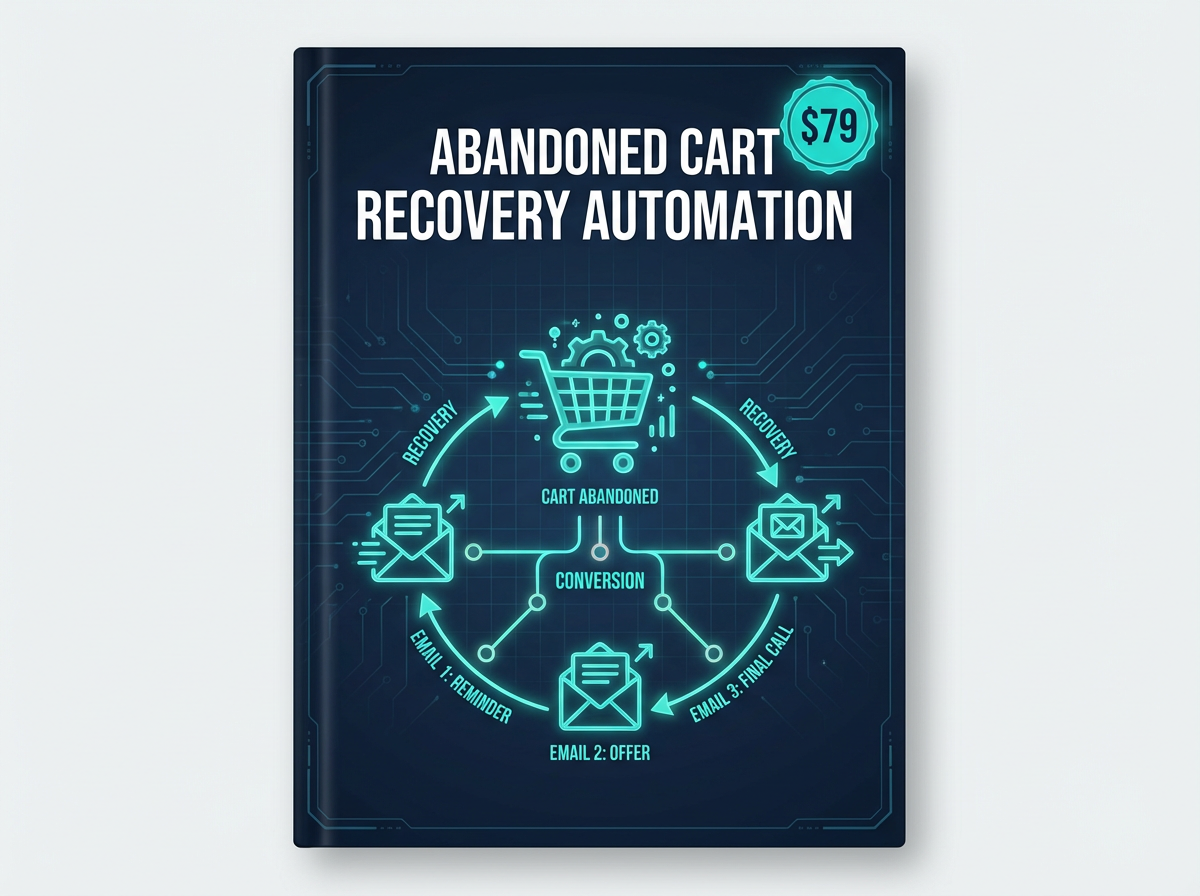
<p><strong>What it does:</strong> Detects when customers add items to their cart but don't complete the purchase, then sends a series of recovery emails with incentives.</p>
<p><strong>Tools connected:</strong> E-commerce Platform → n8n → Email Marketing Tool</p>
<p><strong>Time saved:</strong> Automated revenue recovery (typically 10-15% of abandoned carts)</p>
<p>The <a href="https://designvault.abacusai.app/products/n8n-abandoned-cart-recovery">Abandoned Cart Recovery Automation</a> template includes A/B tested email copy and optimal timing sequences that maximize recovery rates.</p>
<h2>Template #7: Customer Support Ticket Routing</h2>
<p><strong>What it does:</strong> Automatically categorizes and routes support tickets to the right team member based on keywords, urgency, and customer tier.</p>
<p><strong>Tools connected:</strong> Support Tool → n8n → Slack/Email → CRM</p>
<p><strong>Time saved:</strong> 2-3 hours per week</p>
<p><strong>Smart routing rules:</strong></p>
<ul>
<li>VIP customers get priority routing</li>
<li>Technical issues go to technical team</li>
<li>Billing questions go to finance</li>
<li>Urgent keywords trigger immediate notifications</li>
</ul>
<h2>Template #8: Meeting Scheduler with Automatic Prep</h2>
<p><strong>What it does:</strong> When someone books a meeting, this workflow automatically sends confirmation emails, adds the meeting to your calendar, creates a prep document, and sends reminders.</p>
<p><strong>Tools connected:</strong> Calendly/Cal.com → n8n → Google Calendar → Notion/Google Docs → Email</p>
<p><strong>Time saved:</strong> 1-2 hours per week</p>
<h2>Template #9: Content Backup and Archiving System</h2>
<p><strong>What it does:</strong> Automatically backs up your important content (blog posts, social media posts, client files) to multiple locations for redundancy.</p>
<p><strong>Tools connected:</strong> Various Content Sources → n8n → Google Drive → Dropbox → AWS S3</p>
<p><strong>Time saved:</strong> 1-2 hours per week + disaster recovery protection</p>
<h2>Template #10: Lead Scoring and Qualification</h2>
<p><strong>What it does:</strong> Automatically scores leads based on their behavior, demographics, and engagement, then routes hot leads to sales immediately.</p>
<p><strong>Tools connected:</strong> Website/Email/CRM → n8n → CRM → Slack</p>
<p><strong>Time saved:</strong> 3-4 hours per week</p>
<p>This workflow uses a point-based system to identify your most qualified leads, ensuring your sales team focuses on the opportunities most likely to close.</p>
<h2>Template #11: Expense Tracking and Reporting</h2>
<p><strong>What it does:</strong> Automatically captures receipts from email, categorizes expenses, and generates monthly reports for accounting.</p>
<p><strong>Tools connected:</strong> Email → n8n → OCR Service → Accounting Software → Google Sheets</p>
<p><strong>Time saved:</strong> 2-3 hours per month</p>
<h2>Template #12: Customer Feedback Collection and Analysis</h2>
<p><strong>What it does:</strong> Automatically sends feedback surveys at key customer journey milestones, collects responses, and analyzes sentiment.</p>
<p><strong>Tools connected:</strong> CRM → n8n → Survey Tool → Sentiment Analysis API → Dashboard</p>
<p><strong>Time saved:</strong> 2-3 hours per week</p>
<p><strong>Automated insights:</strong></p>
<ul>
<li>Identifies unhappy customers before they churn</li>
<li>Surfaces common pain points and feature requests</li>
<li>Generates monthly NPS reports</li>
<li>Triggers alerts for negative feedback</li>
</ul>
<h2>How to Deploy These Templates in Your Business</h2>
<p>Here's my recommended implementation roadmap:</p>
<p><strong>Week 1: Foundation</strong></p>
<ul>
<li>Set up your n8n instance (cloud or self-hosted)</li>
<li>Connect your core tools (CRM, email, calendar)</li>
<li>Deploy Template #1 (Lead Capture) and Template #5 (Client Onboarding)</li>
</ul>
<p><strong>Week 2: Communication</strong></p>
<ul>
<li>Deploy Template #2 (Email Follow-Up) and Template #3 (Social Media)</li>
<li>Test and refine based on your specific needs</li>
</ul>
<p><strong>Week 3: Operations</strong></p>
<ul>
<li>Deploy Template #4 (Invoicing) and Template #7 (Support Routing)</li>
<li>Train your team on the new automated processes</li>
</ul>
<p><strong>Week 4: Optimization</strong></p>
<ul>
<li>Deploy remaining templates based on your priorities</li>
<li>Monitor performance and adjust workflows</li>
<li>Document your custom configurations</li>
</ul>
<h2>Common Mistakes to Avoid</h2>
<p><strong>1. Over-automating too quickly:</strong> Start with 2-3 high-impact workflows, master them, then expand.</p>
<p><strong>2. Not testing thoroughly:</strong> Always test workflows with dummy data before going live.</p>
<p><strong>3. Ignoring error handling:</strong> Build in fallbacks and notifications for when things go wrong.</p>
<p><strong>4. Set-it-and-forget-it mentality:</strong> Review and optimize your workflows quarterly.</p>
<h2>The ROI of n8n Workflow Automation</h2>
<p>Let's do the math. If these 12 templates save you 25 hours per week, and your time is worth $100/hour, that's <strong>$2,500 per week or $130,000 per year</strong> in recovered time value.</p>
<p>Even if you only implement half of these templates and save 12 hours per week, you're still looking at $62,400 per year in time savings.</p>
<p>And that doesn't account for:</p>
<ul>
<li>Reduced errors from manual processes</li>
<li>Faster response times to customers</li>
<li>Improved customer experience</li>
<li>Ability to scale without hiring</li>
</ul>
<h2>Get Started Today</h2>
<p>The hardest part of automation isn't the technology—it's knowing where to start. These 12 n8n workflow templates give you a proven roadmap.</p>
<p>Want to skip the setup and get these workflows deployed in minutes? The <a href="https://designvault.abacusai.app/products/n8n-complete-business-automation-kit">Complete n8n Business Automation Kit</a> includes all 12 templates plus video tutorials and customization guides. <strong>Use code AUTOMATE20 for 20% off</strong> and start reclaiming your time today.</p>
<p>Remember: every hour you spend on manual tasks is an hour you're not spending on growing your business. Automation isn't a luxury—it's a competitive necessity.</p>
<blockquote>
<p>"The best time to automate was yesterday. The second best time is today. Start with one workflow and build from there."</p>
</blockquote>
Tools to Put This Into Practice
Skip the DIY — these templates are built for exactly what you just read about.