Freelance Client Management in 2026: The Complete System to Eliminate Chaos and Get Paid on Time, Every Time
Stop losing clients, chasing invoices, and drowning in disorganized projects. This complete freelance client management system gives you the exact tools, templates, and workflows to run a professional, profitable freelance business in 2026.
<article>
<h1>Freelance Client Management in 2026: The Complete System to Eliminate Chaos and Get Paid on Time, Every Time</h1>
<p>If you've been freelancing for more than six months, you know the feeling: three clients emailing you simultaneously, a project scope that's ballooned beyond recognition, an invoice that's 30 days overdue, and a new inquiry sitting in your inbox that you haven't had time to respond to. This isn't a time management problem. It's a <em>systems</em> problem—and it's costing you money, clients, and your sanity.</p>
<p>The best freelancers in 2026 don't work harder than everyone else. They work inside better systems. In this guide, you'll get the complete client management framework that top-earning freelancers use to handle more clients, deliver better work, and get paid faster—without the chaos.</p>
<h2>Why Most Freelancers Struggle with Client Management</h2>
<p>The root cause of client management chaos is almost always the same: freelancers build their business reactively instead of proactively. They respond to each client situation as it arises, creating custom processes on the fly, storing information in scattered places, and relying on memory instead of systems.</p>
<p>The result? Inconsistent client experiences, missed deadlines, scope creep, late payments, and the constant feeling that you're one bad week away from losing everything you've built.</p>
<p>The solution isn't to work more hours. It's to build a client management system that handles the predictable parts of your business automatically—so you can focus your energy on the creative work that actually requires your expertise.</p>
<h2>The 6 Pillars of a Professional Freelance Client Management System</h2>
<h3>Pillar 1: Lead Qualification and Intake</h3>
<p>Not every inquiry deserves your time. A proper intake system filters out bad-fit clients before they waste your energy, while making great-fit clients feel immediately impressed by your professionalism.</p>
<p>Your intake system should include:</p>
<ul>
<li><strong>A project inquiry form:</strong> Capture budget, timeline, project type, and goals upfront. This eliminates the back-and-forth of discovery emails and immediately signals your professionalism.</li>
<li><strong>A qualification checklist:</strong> Define your ideal client criteria (budget minimum, project type, industry) and score each inquiry against it before investing time in a discovery call.</li>
<li><strong>An automated response:</strong> When someone submits an inquiry, they should receive an immediate, professional acknowledgment with your typical response time and next steps. This sets expectations and builds trust before you've even spoken.</li>
</ul>
<p>The <a href="https://designvault.abacusai.app/products/client-onboarding-system">Client Onboarding System for Designers</a> includes a complete intake form template, qualification checklist, and automated response sequence that you can deploy in under an hour—so your first impression is always professional, even when you're in the middle of a project.</p>
<h3>Pillar 2: Proposals and Contracts That Protect You</h3>
<p>A weak proposal loses clients. A weak contract loses money. Most freelancers underinvest in both.</p>
<p>Your proposal should do three things: demonstrate that you understand the client's problem, present your solution clearly, and make the investment feel justified. It should not be a list of deliverables and a price. That's a quote, not a proposal.</p>
<p>Key elements of a winning proposal:</p>
<ul>
<li><strong>Problem statement:</strong> Restate the client's challenge in your own words. This proves you listened and builds confidence that you can solve it.</li>
<li><strong>Proposed solution:</strong> Describe your approach, methodology, and what makes your solution uniquely suited to their needs.</li>
<li><strong>Deliverables and timeline:</strong> Be specific. Vague deliverables are the #1 cause of scope creep.</li>
<li><strong>Investment options:</strong> Offer 2-3 tiers when possible. This shifts the client's decision from "should I hire this person?" to "which package should I choose?"</li>
<li><strong>Social proof:</strong> Include a relevant case study or testimonial that mirrors the client's situation.</li>
</ul>
<p>Your contract must clearly define scope, revision limits, payment terms, kill fees, and intellectual property ownership. A professional contract isn't just legal protection—it signals to clients that you run a serious business, which makes them more likely to respect your boundaries and pay on time.</p>
<p>The <a href="https://designvault.abacusai.app/products/invoice-proposal-templates">Professional Invoice and Proposal Templates</a> pack includes battle-tested proposal and contract templates used by six-figure freelancers—complete with scope definition clauses, revision limits, and payment terms that protect your income. Use code <strong>LAUNCH30</strong> for 30% off.</p>
<h3>Pillar 3: Client Onboarding That Sets the Tone</h3>
<p>The first 48 hours after a client signs are the most important in the entire relationship. How you onboard a client determines whether they'll be easy to work with, refer you to others, and come back for future projects.</p>
<p>A professional onboarding process includes:</p>
<ul>
<li><strong>Welcome email:</strong> Sent immediately after signing, confirming the project details, timeline, and next steps. Include a link to your client portal or project management tool.</li>
<li><strong>Kickoff questionnaire:</strong> A structured form that collects all the information you need to start work—brand assets, preferences, access credentials, and goals. This eliminates the "just one more question" email chain.</li>
<li><strong>Project timeline:</strong> A visual timeline showing key milestones, review dates, and the final delivery date. Clients who can see the roadmap are less likely to send anxious check-in emails.</li>
<li><strong>Communication guidelines:</strong> Set expectations for response times, preferred communication channels, and how to submit feedback. This prevents the 11pm "quick question" texts.</li>
</ul>
<blockquote>
<p><strong>The onboarding paradox:</strong> The more thorough your onboarding process, the less hand-holding clients require throughout the project. Invest 2 hours in a great onboarding system and save 10 hours per client in ongoing management.</p>
</blockquote>
<h3>Pillar 4: Project Management and Communication</h3>
<p>Once a project is underway, your job is to deliver great work while keeping the client informed without overwhelming them. The key is structured communication at predictable intervals.</p>
<p>Best practices for in-project communication:</p>
<ul>
<li><strong>Weekly status updates:</strong> A brief email every Monday summarizing what was completed last week, what's happening this week, and any decisions needed from the client. This eliminates "just checking in" emails from anxious clients.</li>
<li><strong>Milestone reviews:</strong> Schedule formal review points at key project milestones. Present your work with context—explain your decisions, not just your deliverables.</li>
<li><strong>Feedback protocols:</strong> Give clients a structured way to provide feedback (a form, a shared document, or a specific review tool). Unstructured feedback leads to vague revisions and scope creep.</li>
<li><strong>Change order process:</strong> When a client requests something outside the original scope, have a documented process for pricing and approving the change. This protects your time and trains clients to respect boundaries.</li>
</ul>
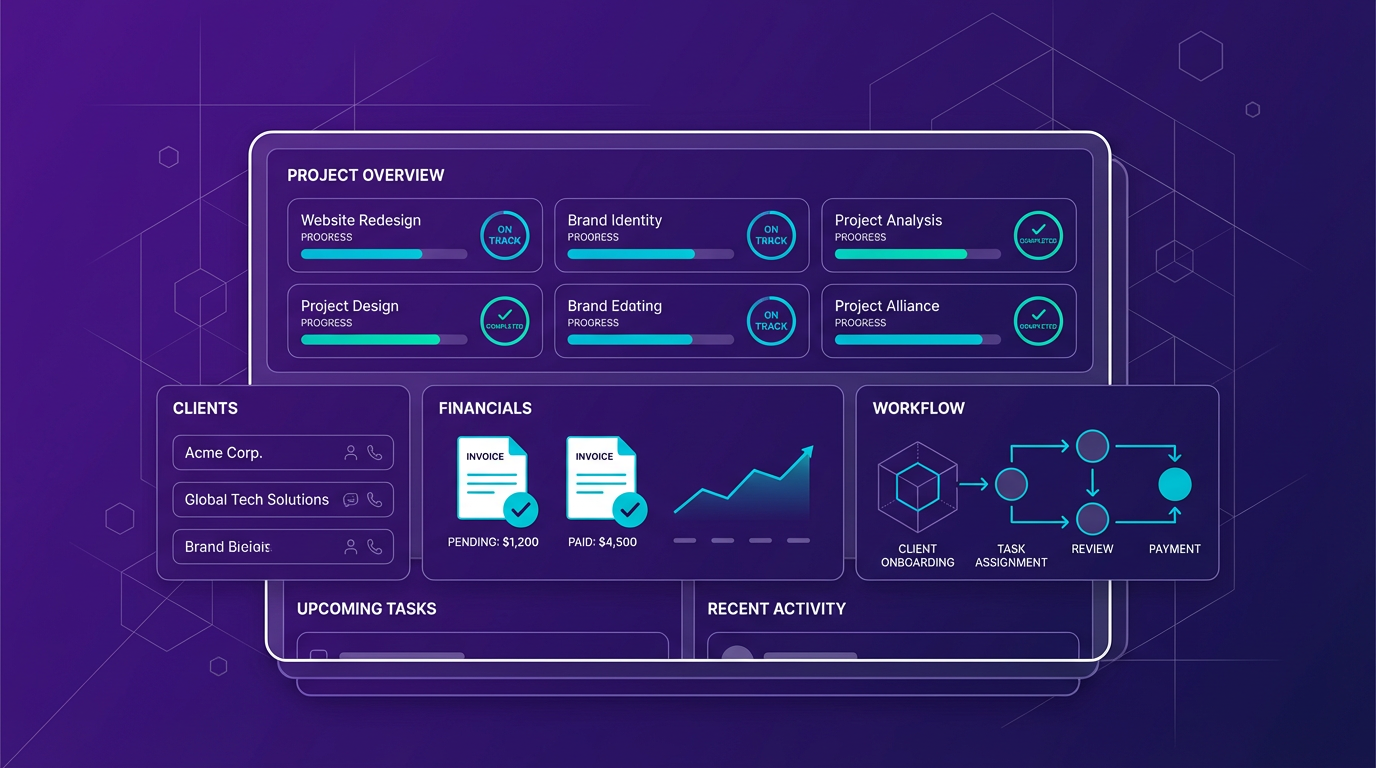
<p>The <a href="https://designvault.abacusai.app/products/project-management-dashboard">Project Management Dashboard for Creatives</a> gives you a centralized hub to track all active projects, deadlines, client communications, and deliverables—so nothing falls through the cracks, even when you're juggling five clients simultaneously.</p>
<h3>Pillar 5: Invoicing and Payment Systems That Get You Paid</h3>
<p>Late payments are the #1 cash flow killer for freelancers. The solution isn't to chase clients harder—it's to build payment systems that make late payment the exception, not the rule.</p>
<p>The payment system that works:</p>
<ul>
<li><strong>Require a deposit:</strong> Always collect 25-50% upfront before starting work. This filters out non-serious clients and ensures you're compensated even if a project falls apart.</li>
<li><strong>Milestone-based payments:</strong> For longer projects, tie payments to deliverable milestones rather than calendar dates. This aligns your payment with the client's receipt of value.</li>
<li><strong>Automated invoice reminders:</strong> Set up automatic reminders at 7 days, 3 days, and 1 day before an invoice is due—and immediately after it becomes overdue. Most late payments are due to forgetfulness, not bad faith.</li>
<li><strong>Late payment fees:</strong> Include a late payment clause in your contract (typically 1.5-2% per month). Most clients will never trigger it, but it signals that you take payment terms seriously.</li>
<li><strong>Multiple payment options:</strong> The easier you make it to pay, the faster you get paid. Accept credit cards, bank transfers, and digital payment platforms.</li>
</ul>
<h3>Pillar 6: Client Retention and Referral Systems</h3>
<p>Acquiring a new client costs 5-7x more than retaining an existing one. Yet most freelancers invest all their energy in finding new clients and almost none in keeping the great ones they already have.</p>
<p>A simple client retention system:</p>
<ul>
<li><strong>Post-project follow-up:</strong> Two weeks after project completion, send a check-in email asking how the work is performing. This opens the door to additional work and referrals.</li>
<li><strong>Quarterly check-ins:</strong> For past clients, a brief quarterly email sharing a relevant resource or insight keeps you top of mind without being pushy.</li>
<li><strong>Referral program:</strong> Offer a discount or bonus to clients who refer new business. Make it easy by giving them a specific referral link or code.</li>
<li><strong>Annual review offer:</strong> Reach out to past clients annually with an offer to audit or update previous work. This generates repeat business from clients who already trust you.</li>
</ul>
<h2>Automating Your Client Management System</h2>
<p>The most powerful upgrade you can make to your client management system is automation. When your intake form automatically creates a project folder, sends a welcome email, and adds the client to your CRM—without you lifting a finger—you've built a business that scales without burning you out.</p>
<p>Key automation opportunities for freelancers:</p>
<ul>
<li>New inquiry: automatic acknowledgment email and CRM entry</li>
<li>Signed contract: onboarding email sequence triggered automatically</li>
<li>Invoice sent: automatic reminder sequence at 7, 3, and 1 day before due date</li>
<li>Project completed: automatic testimonial request and referral program invitation</li>
<li>90 days post-project: automatic check-in email</li>
</ul>
<p>These automations don't require coding knowledge. With the right templates and tools, you can have your entire client management system running on autopilot within a weekend.</p>
<h2>Building Your System: Where to Start</h2>
<p>If you're starting from scratch, don't try to build everything at once. Here's the priority order:</p>
<ol>
<li><strong>Week 1:</strong> Create your proposal and contract templates. These protect your income immediately.</li>
<li><strong>Week 2:</strong> Build your onboarding system. This improves every client relationship going forward.</li>
<li><strong>Week 3:</strong> Set up your invoicing and payment automation. This fixes your cash flow.</li>
<li><strong>Week 4:</strong> Implement your project management dashboard and communication templates.</li>
<li><strong>Month 2:</strong> Add retention and referral systems to compound your growth.</li>
</ol>
<p>The freelancers who earn $10K, $20K, and $30K/month aren't necessarily more talented than you. They've simply built systems that let them serve more clients at a higher level without working more hours. Your client management system is the foundation of everything.</p>
<h2>Take Control of Your Freelance Business Today</h2>
<p>Stop letting client chaos dictate your income and your stress levels. The templates, systems, and tools you need to build a professional, profitable freelance business are available right now—and you don't have to build them from scratch.</p>
<p>Explore the complete collection of freelance business templates at DesignVault, including client onboarding systems, proposal templates, project management dashboards, and more. Use code <strong>LAUNCH30</strong> for 30% off and start running your freelance business like the professional you are.</p>
</article>
Tools to Put This Into Practice
Skip the DIY — these templates are built for exactly what you just read about.