Best Canva Invoice Template for Freelancers 2026: Get Paid Faster & Look Professional
Discover the best Canva invoice templates for freelancers in 2026 — professionally designed, fully editable, and built to help you get paid faster while impressing every client.
<script type="application/ld+json">
{
"@context": "https://schema.org",
"@type": "Article",
"headline": "Best Canva Invoice Template for Freelancers 2026: Get Paid Faster & Look Professional",
"author": {
"@type": "Organization",
"name": "DesignVault Team"
},
"datePublished": "2026-05-14",
"publisher": {
"@type": "Organization",
"name": "DesignVault",
"logo": {
"@type": "ImageObject",
"url": "https://designvault.abacusai.app/logo.png"
}
},
"description": "Discover the best Canva invoice templates for freelancers in 2026 — professionally designed, fully editable, and built to help you get paid faster while impressing every client.",
"mainEntityOfPage": {
"@type": "WebPage",
"@id": "https://designvault.abacusai.app/blog/best-canva-invoice-template-freelancers-2026"
}
}
</script>
<h1>Best Canva Invoice Template for Freelancers 2026: Get Paid Faster & Look Professional</h1>
<p>You just wrapped up a killer project. The client is thrilled. Now comes the part most freelancers dread: sending the invoice. You open a blank document, stare at it for ten minutes, and wonder why something so simple feels so painful. Sound familiar?</p>
<p>Here's the truth: a poorly designed invoice doesn't just look unprofessional — it can actually delay your payment. Clients who receive a confusing or generic invoice are more likely to put it at the bottom of their pile. But a clean, branded, professional invoice? That gets paid first.</p>
<p>In 2026, Canva invoice templates have become the go-to solution for freelancers who want to look polished without spending hours in design software. In this guide, we'll break down exactly what makes a great freelance invoice template, what to look for when downloading one, and which templates are worth your time and money.</p>
<h2>Why Your Invoice Design Actually Matters</h2>
<p>Most freelancers treat invoicing as an afterthought. They use whatever default template their accounting software spits out, slap their name on it, and hit send. But your invoice is a client touchpoint — it's the last impression you leave after delivering great work.</p>
<p>A professional invoice communicates:</p>
<ul>
<li><strong>Credibility:</strong> You run a real business, not a side hustle</li>
<li><strong>Clarity:</strong> Exactly what was delivered, when, and for how much</li>
<li><strong>Urgency:</strong> Clear payment terms that prompt action</li>
<li><strong>Brand consistency:</strong> Your logo, colors, and fonts reinforce your identity</li>
</ul>
<p>Studies consistently show that branded invoices get paid up to 3x faster than generic ones. When a client sees a polished invoice that matches the quality of your work, they take it seriously.</p>
<h2>What Makes a Great Canva Invoice Template for Freelancers?</h2>
<p>Not all invoice templates are created equal. Here's what separates a truly useful template from one that just looks pretty:</p>
<h3>1. Clear Line Item Structure</h3>
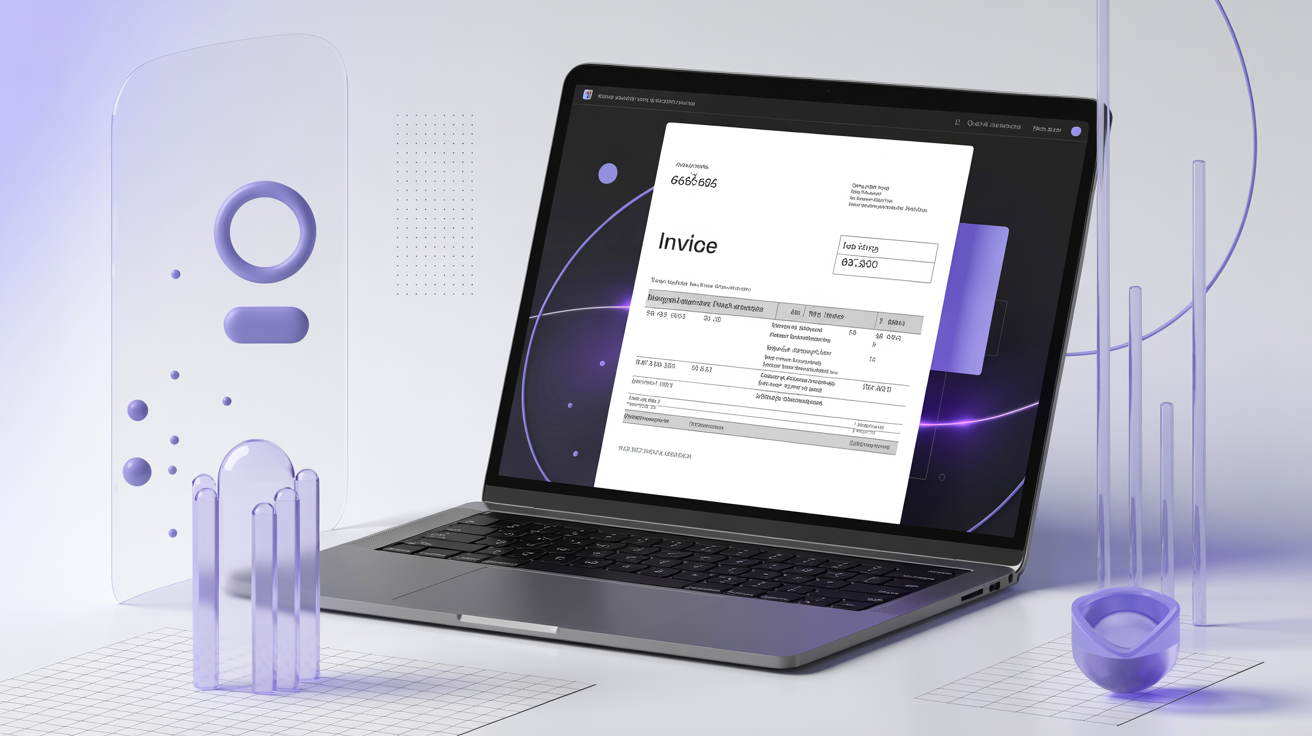
<p>Your invoice needs a clean table for services rendered, quantities, rates, and totals. Clients should be able to scan it in under 30 seconds and understand exactly what they're paying for. Avoid cluttered layouts that bury the important numbers.</p>
<h3>2. Prominent Payment Terms</h3>
<p>Net 30? Due on receipt? Your payment terms should be impossible to miss. The best templates place payment due dates in a highlighted box or bold text near the total amount. This single design choice can dramatically reduce late payments.</p>
<h3>3. Brand Customization Fields</h3>
<p>A good Canva invoice template lets you swap in your logo, brand colors, and fonts in minutes. Look for templates with clearly labeled placeholder text and organized layers so customization is fast and intuitive.</p>
<h3>4. Professional Typography</h3>
<p>Avoid templates that use decorative or hard-to-read fonts for financial information. Numbers and totals should be in clean, legible typefaces. Headers can have personality, but the financial data needs to be crystal clear.</p>
<h3>5. Multiple Format Options</h3>
<p>The best invoice templates come in multiple color schemes and layouts so you can match your brand without starting from scratch. Look for template packs that include light and dark versions, or multiple accent color options.</p>
<h2>Top Canva Invoice Template Features to Look for in 2026</h2>
<p>The freelance landscape has evolved significantly. In 2026, the best invoice templates go beyond basic billing to include:</p>
<h3>Digital Payment Integration Prompts</h3>
<p>Modern invoice templates include space for your PayPal, Stripe, or bank transfer details in a visually prominent way. Clients shouldn't have to hunt for how to pay you.</p>
<h3>Project Summary Section</h3>
<p>Top-tier templates include a brief project summary or scope reminder at the top. This context helps clients immediately connect the invoice to the work delivered, reducing "what is this for?" emails.</p>
<h3>Tax and Discount Fields</h3>
<p>If you work with international clients or offer early payment discounts, your template needs dedicated fields for tax rates and discount lines. These should auto-calculate or at least be clearly labeled.</p>
<h3>Professional Footer with Legal Notes</h3>
<p>A footer with your business registration number, late payment policy, and thank-you note adds a layer of professionalism that generic templates skip entirely.</p>
<h2>How to Customize Your Canva Invoice Template in 5 Minutes</h2>
<p>One of the biggest advantages of Canva invoice templates is how fast they are to customize. Here's a quick workflow:</p>
<ol>
<li><strong>Download your template</strong> and open it in Canva (free account works fine)</li>
<li><strong>Replace the logo placeholder</strong> with your actual logo or business name</li>
<li><strong>Update brand colors</strong> using Canva's color picker to match your palette</li>
<li><strong>Fill in your business details</strong> — name, address, email, phone, payment info</li>
<li><strong>Save as a template</strong> in Canva so you can duplicate it for every new invoice</li>
</ol>
<p>Once set up, creating a new invoice takes under 2 minutes. You duplicate the template, update the client name, project details, and amounts, then export as PDF. Done.</p>
<p>For a complete system that goes beyond just invoicing, check out our <a href="https://designvault.abacusai.app/templates/canva-invoice-template">Canva Invoice Template collection</a> — designed specifically for freelancers who want to look professional from day one.</p>
<h2>Invoice Template vs. Accounting Software: Which Do You Need?</h2>
<p>A common question from freelancers: should I use a Canva invoice template or just use FreshBooks/QuickBooks/Wave?</p>
<p>The honest answer: it depends on your volume and complexity.</p>
<p>If you're sending 1-5 invoices per month to a handful of clients, a well-designed Canva template is faster, cheaper, and more customizable than most accounting software. You get full control over the design, and there's no monthly subscription fee.</p>
<p>If you're sending 20+ invoices per month, tracking expenses, and need automated reminders, accounting software makes more sense — but you can still use a Canva template for your PDF design and import it as a custom template in most platforms.</p>
<p>Many successful freelancers use both: Canva for the visual design and a simple spreadsheet or free tool like Wave for tracking payments.</p>
<h2>Common Invoice Mistakes Freelancers Make (And How Templates Fix Them)</h2>
<p>After analyzing hundreds of freelance invoices, here are the most common mistakes — and how a good template prevents them:</p>
<h3>Missing Invoice Numbers</h3>
<p>Every invoice needs a unique number for your records and the client's accounting. Good templates include a prominent invoice number field that you can't miss.</p>
<h3>Vague Service Descriptions</h3>
<p>"Design work — $500" tells a client nothing. Templates with structured line item fields force you to be specific: "Homepage redesign (3 revisions) — $500." This reduces disputes and speeds up approval.</p>
<h3>No Late Payment Policy</h3>
<p>If you don't state your late payment terms, you have no leverage when invoices go overdue. Professional templates include a footer section specifically for payment terms and late fees.</p>
<h3>Inconsistent Branding</h3>
<p>Sending invoices that look nothing like your proposals or contracts creates confusion. A template system ensures every client touchpoint looks cohesive. Pair your invoice template with our <a href="https://designvault.abacusai.app/templates/canva-proposal-template">Canva Proposal Template</a> for a fully branded client experience from pitch to payment.</p>
<h2>Building a Complete Freelance Billing System</h2>
<p>The most successful freelancers don't just have a great invoice — they have a complete billing system. Here's what that looks like:</p>
<ol>
<li><strong>Proposal Template:</strong> Sent before the project starts, outlining scope and pricing</li>
<li><strong>Contract Template:</strong> Signed agreement protecting both parties</li>
<li><strong>Deposit Invoice:</strong> 50% upfront before work begins</li>
<li><strong>Progress Invoice:</strong> Mid-project billing for longer engagements</li>
<li><strong>Final Invoice:</strong> Remaining balance due on delivery</li>
<li><strong>Receipt Template:</strong> Confirmation once payment is received</li>
</ol>
<p>Having templates for each stage means you spend less time on admin and more time on billable work. Our <a href="https://designvault.abacusai.app/templates/freelance-business-template-bundle">Freelance Business Template Bundle</a> includes all of these in a cohesive, branded system.</p>
<h2>What to Avoid When Downloading Free Invoice Templates</h2>
<p>Free invoice templates are everywhere, but most come with hidden costs:</p>
<ul>
<li><strong>No commercial license:</strong> Many free templates prohibit commercial use — meaning you technically can't use them for client billing</li>
<li><strong>Poor print quality:</strong> Free templates often export at low resolution, looking blurry when printed</li>
<li><strong>Outdated designs:</strong> Templates from 2018 look dated in 2026 and signal that you're not keeping up with professional standards</li>
<li><strong>No support or updates:</strong> When Canva updates its interface, free templates often break or become incompatible</li>
</ul>
<p>Premium templates from dedicated marketplaces like DesignVault come with commercial licenses, high-resolution exports, and regular updates to stay current with Canva's latest features.</p>
<h2>Recommended Products for Freelance Invoicing & Billing</h2>
<p>Ready to upgrade your freelance billing system? Here are our top picks from the DesignVault store:</p>
<div style="border: 1px solid #e5e7eb; border-radius: 8px; padding: 20px; margin: 20px 0; background: #f9fafb;">
<h3 style="margin-top: 0;"><a href="https://designvault.abacusai.app/products/invoice-proposal-templates">Professional Invoice & Proposal Templates</a></h3>
<p>A complete billing toolkit for freelancers — includes invoice, proposal, contract summary, and receipt templates in a cohesive design system. Fully editable in Canva with commercial license included. Perfect for designers, copywriters, consultants, and any service-based freelancer who wants to look polished and get paid faster.</p>
</div>
<div style="border: 1px solid #e5e7eb; border-radius: 8px; padding: 20px; margin: 20px 0; background: #f9fafb;">
<h3 style="margin-top: 0;"><a href="https://designvault.abacusai.app/products/client-onboarding-system">Client Onboarding System for Designers</a></h3>
<p>Stop reinventing the wheel with every new client. This complete onboarding system includes welcome packets, project questionnaires, timeline templates, and invoice sequences — everything you need to start every project professionally and set clear expectations from day one.</p>
</div>
<div style="border: 1px solid #e5e7eb; border-radius: 8px; padding: 20px; margin: 20px 0; background: #f9fafb;">
<h3 style="margin-top: 0;"><a href="https://designvault.abacusai.app/products/complete-freelance-designer-business-kit">The Complete Freelance Designer Business Kit</a></h3>
<p>The ultimate all-in-one toolkit for freelance designers — includes invoice templates, proposals, contracts, client onboarding docs, project management dashboards, and social media templates. Everything you need to run a professional freelance business, all in one download.</p>
</div>
<blockquote style="border-left: 4px solid #6366f1; padding-left: 20px; margin: 30px 0; font-style: italic;">
<p>🎉 <strong>Special Offer:</strong> Use code <strong>LAUNCH30</strong> at checkout for 30% off your first order. Start looking like the professional you are — your clients will notice the difference.</p>
</blockquote>
<h2>Final Thoughts: Your Invoice Is Your Brand</h2>
<p>In 2026, clients have higher expectations than ever. They're working with multiple freelancers, comparing experiences, and making decisions about who to rehire based on the entire client journey — including how professional your billing process feels.</p>
<p>A great Canva invoice template is one of the highest-ROI investments you can make as a freelancer. It takes 5 minutes to set up, costs less than a single hour of your time, and pays dividends on every invoice you send for years to come.</p>
<p>Don't let a generic invoice be the last impression you leave. Download a professional template today and start getting paid like the expert you are.</p>
Tools to Put This Into Practice
Skip the DIY — these templates are built for exactly what you just read about.